
Re-enrolment
Step 1: Take action
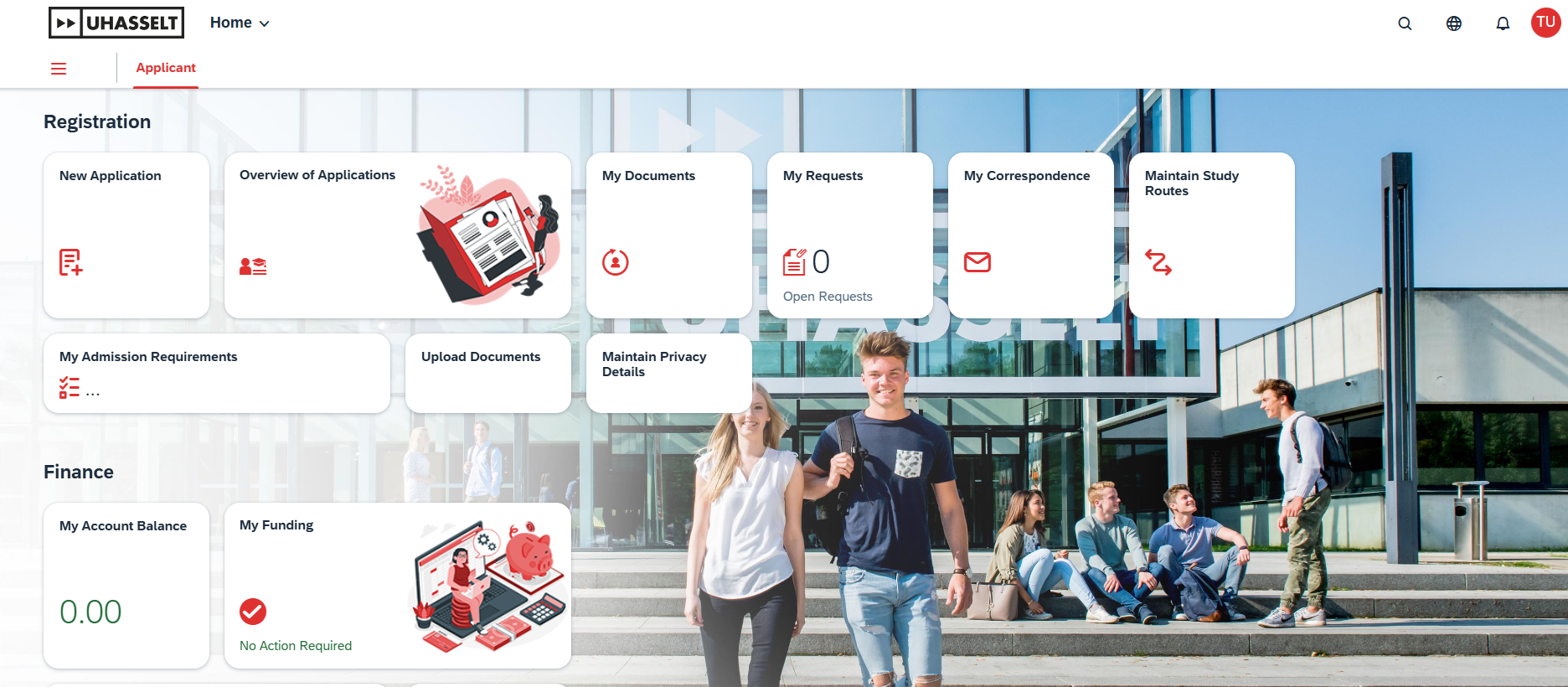
- If you re-enrol for you master or preparation programme, go to ‘Overview of applications’ in the new student portal and select the enrollment for the new academic year, and fill in the required information.
- If you enrol for the first time for your master programme, go to 'New application' in the student portal.
Then click on ‘enroll’ to finalize your enrollment. This can be done until September 21 at the latest, but it’s best to do it as soon as possible. Did you not pass in the first exam session? No problem! You can already request your enrollment via the new portal. Your application will be processed definitively after the second exam session.
After your re-registration has been processed you can start composing your academic programme for the new academic year. Specific instructions regarding composing your programme are available via this link. It’s recommended to do this as soon as possible to avoid queues.
Step 2: You'll receive payment instructions
After re-registering, you will receive an email with instructions to pay a deposit. The deposit is part of the tuition fee for next academic year.
Step 3: Pay the deposit
Pay the deposit before the 1st of October and you're ready for next academic year!
Information concerning the extension of the resident permit for non-EEA students can be found on this page.
Do you have a question about your registration?
Don't hesitate to send an e-mail to stua@uhasselt.be. A staff member of the student administration will come back to you as soon as possible.